
If you teach
Ready-to-use tutorials you can try in your next lesson, from Google Classroom and Slides to AI tools and Canva.
See the tutorials →If you coach
Guides and systems to help you support teachers with technology, one coaching conversation at a time.
Explore instructional coaching →If you lead
A playbook for building a district-wide digital learning vision that your whole team can follow.
Meet Impact Standards →Tutorials you can use this week.
Pick a tool or topic. Every guide is written to be tried in a real classroom.
Latest
-

Google Keep in the Classroom: 7 Creative Ways to Help Students Organize and Create
Ever find your students juggling assignments, research photos, and quick sketches, yet lacking a single place to keep it all together? Many…
-

From Capture to Captivating: A Free Google Keep, Slides & Vids Classroom Project
Ever feel like every new lesson plan starts from scratch, forcing you to reinvent the wheel each time you introduce a concept?…
-

How to Create a Word Cloud with Google Slides or Canva that Gives Students School Pride
Ever wondered how a simple classroom activity could replace a lengthy essay and still give you deep insight into your students’ sense…
-

How to Master Gmail Productivity for Teachers Using Calendar and Tasks
Ever feel like your inbox is running the classroom instead of the other way around? Every ping—parent questions, student requests, meeting updates—pulls…
-

How Kira Made Me Rethink AI as a Curriculum Planning Partner
Ever feel like the first quiet week of summer turns into a marathon of lesson‑planning, with blank pages and endless standards staring…
-
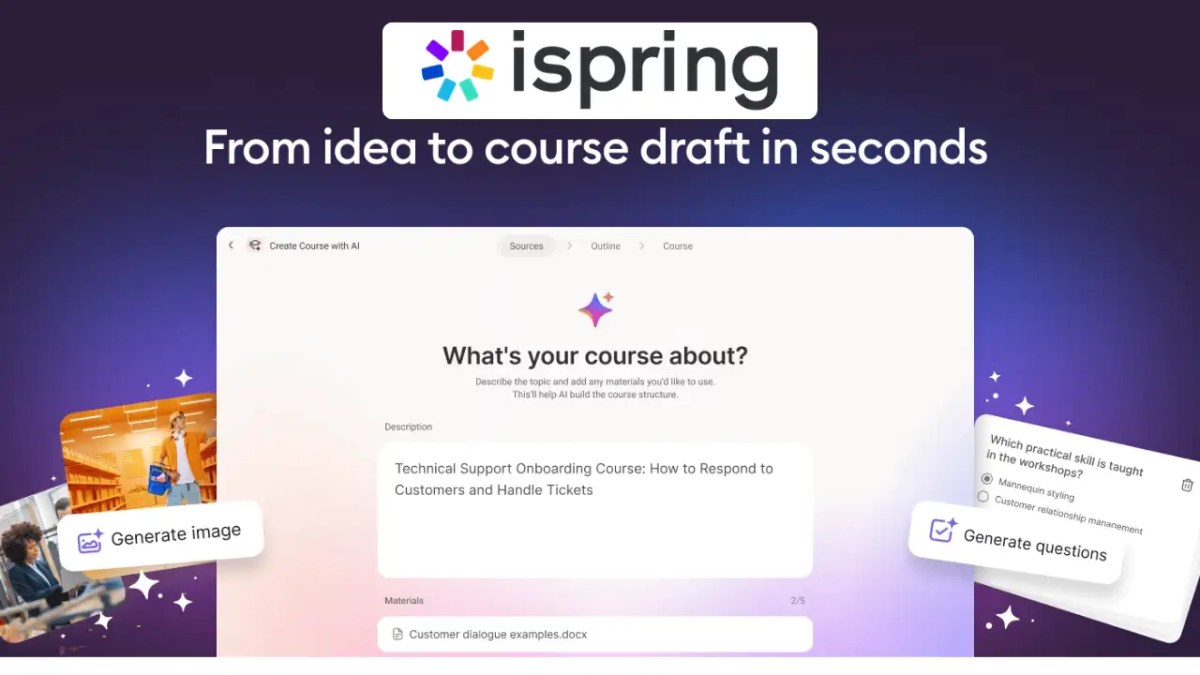
Turn Any Lesson or Presentation Into an Interactive Course with iSpring Cloud
Are you feeling buried under a mountain of apps just to turn a simple lesson into a shareable digital course? That tool‑overload…
-

Vibe Coding in the Classroom: Build Interactive Lessons with Canva Code
Do you ever feel that coding is a mysterious language reserved for tech experts, leaving you wondering how to bring that creative…
-

Edmentum at ISTE 2026: Walking the “Road to Readiness” at Booth #1422
If you’re heading to ISTE next week, make some time for Edmentum at booth #1422. This year they’re showcasing a fresh take…
-

Logitech Spotlight 2 Review: Is It the Best Presenter Remote for Teachers and Instructional Coaches?
Are you tired of standing glued to your laptop while trying to keep a professional development session on track? Imagine walking the…
AI
-
Google Keep in the Classroom: 7 Creative Ways to Help Students Organize and Create
Ever find your students juggling assignments, research photos, and quick sketches, yet lacking a single place to keep it all together? Many…
-

Google AI Educator Series Badge-a-thon: Earn AI Badges Live on September 19
Do you ever feel overwhelmed by endless webinars that promise AI mastery but leave you with nothing more than a pile of…
-
How Kira Made Me Rethink AI as a Curriculum Planning Partner
Ever feel like the first quiet week of summer turns into a marathon of lesson‑planning, with blank pages and endless standards staring…
-

How to Turn Any Google Slides Deck Into a Student-Ready Video with Google Vids
Ever found yourself re‑explaining the same Google Slides lesson fifteen times, only to watch students stare at a static deck and still…
-

10 Ways Teachers Can Use Google Gemini to Save Hours on Lesson Planning
Are you staring at a blank lesson plan and wondering how you’ll ever find the time to create engaging, standards‑aligned content for…
-

Google for Education Launches the Google AI Educator Series: Free, Badge-Earning AI Training for K–12 and Higher Ed
Ever feel like AI training for teachers is either way too long, too vague, or just never fits into your busy day?…
-

10 More Things Teachers Can Do with Google NotebookLM (Beyond the Basics)
Ever feel like you’re drowning in repetitive student questions, endless rubric revisions, and the constant hunt for fresh, differentiated resources? What if…
-

5 Gemini-Powered NotebookLM Features Teachers Can Use in 60 Seconds
Are you tired of spending precious class time trying to make sense of dense readings, only to see students disengage or miss…
-

10 Ways Instructional Coaches Can Use NotebookLM for Coaching Cycles
Do you ever feel like you’re drowning in coaching logs, curriculum PDFs, and endless data reports, only to spend precious minutes hunting…
-
Google Keep in the Classroom: 7 Creative Ways to Help Students Organize and Create
Ever find your students juggling assignments, research photos, and quick sketches, yet lacking a single place to keep it all together? Many…
-
From Capture to Captivating: A Free Google Keep, Slides & Vids Classroom Project
Ever feel like every new lesson plan starts from scratch, forcing you to reinvent the wheel each time you introduce a concept?…
-
How to Create a Word Cloud with Google Slides or Canva that Gives Students School Pride
Ever wondered how a simple classroom activity could replace a lengthy essay and still give you deep insight into your students’ sense…
-
How to Master Gmail Productivity for Teachers Using Calendar and Tasks
Ever feel like your inbox is running the classroom instead of the other way around? Every ping—parent questions, student requests, meeting updates—pulls…
-
Google AI Educator Series Badge-a-thon: Earn AI Badges Live on September 19
Do you ever feel overwhelmed by endless webinars that promise AI mastery but leave you with nothing more than a pile of…
-
How to Turn Any Google Slides Deck Into a Student-Ready Video with Google Vids
Ever found yourself re‑explaining the same Google Slides lesson fifteen times, only to watch students stare at a static deck and still…
-
10 Ways Teachers Can Use Google Gemini to Save Hours on Lesson Planning
Are you staring at a blank lesson plan and wondering how you’ll ever find the time to create engaging, standards‑aligned content for…
-
Google for Education Launches the Google AI Educator Series: Free, Badge-Earning AI Training for K–12 and Higher Ed
Ever feel like AI training for teachers is either way too long, too vague, or just never fits into your busy day?…
-
10 More Things Teachers Can Do with Google NotebookLM (Beyond the Basics)
Ever feel like you’re drowning in repetitive student questions, endless rubric revisions, and the constant hunt for fresh, differentiated resources? What if…
All Google for Education articles → · Google Classroom → · Google Vids →
Microsoft
-

The Three Productivity Tools an Instructional Coach Can’t Live Without
Instructional coaches act as vital connectors between administration and teachers, enhancing professional growth and student success. The complexity of this role requires…
-

How to use Microsoft Teams to Live Stream Morning Announcements
In this post, you will learn how to set up Microsoft Teams to be used as a FREE Live Streaming Platform to…
-

Convert Your Outlook Groups to Interactive Microsoft Teams
In this post (and video) you will learn how (and why) to create Microsoft Teams using previously created Outlook Email Distribution groups.
-

Microsoft Bing for Education: Empowering Educators in the Digital Age
In today’s rapidly evolving educational landscape, technology plays a crucial role in enhancing learning experiences. Microsoft Bing for Education stands out as…
-

A Beginners Guide to Microsoft Forms
In this video, you will learn how to create a Microsoft Form that is connected to an Excel Spreadsheet found inside of…
-

An Introduction to Power Automate: How Can Your Forms Data Show Up in Lists, Teams, and Outlook?
In this episode of Tech Coach weekly, we walk you through the process of importing data from a Microsoft Form and show…
-

How does TeacherCast Stay Organized using Microsoft Teams?
Learn how to use Microsoft Teams to organize your business and how to transfer your digital files away from Google Drive.
-

The Top 10 Reasons to be a Microsoft Innovative Educator Expert
The Microsoft Innovative Educator (MIE) Expert program is an exclusive program created to recognize global educator visionaries who are using technology
Canva, Notion & EdTech
-
From Capture to Captivating: A Free Google Keep, Slides & Vids Classroom Project
Ever feel like every new lesson plan starts from scratch, forcing you to reinvent the wheel each time you introduce a concept?…
-
How to Create a Word Cloud with Google Slides or Canva that Gives Students School Pride
Ever wondered how a simple classroom activity could replace a lengthy essay and still give you deep insight into your students’ sense…
-
How Kira Made Me Rethink AI as a Curriculum Planning Partner
Ever feel like the first quiet week of summer turns into a marathon of lesson‑planning, with blank pages and endless standards staring…
-
Turn Any Lesson or Presentation Into an Interactive Course with iSpring Cloud
Are you feeling buried under a mountain of apps just to turn a simple lesson into a shareable digital course? That tool‑overload…
-

Edmentum’s “Road to Readiness”: A Conversation with CEO Jamie Candee
Are you tired of hearing students ask, “When will I ever use this?”—and feeling like you have no compelling answer? At ISTE 2026,…
-
Vibe Coding in the Classroom: Build Interactive Lessons with Canva Code
Do you ever feel that coding is a mysterious language reserved for tech experts, leaving you wondering how to bring that creative…
-

Renaissance Intelligence Goes Live July 1 — See It First at ISTE 2026
Ever feel like every ISTE conference you attend is a blur of endless demos, endless logins, and endless questions about which tool…
-

What BenQ Is Bringing to ISTE 2026 (And Why You Should Stop by Booth #2401)
Are you heading to ISTE 2026 and wondering how to make the most of your time on the show floor? With hundreds…
-
Edmentum at ISTE 2026: Walking the “Road to Readiness” at Booth #1422
If you’re heading to ISTE next week, make some time for Edmentum at booth #1422. This year they’re showcasing a fresh take…
ClassMate
Proud sponsor · Created in partnership with World Book
ClassMate: trusted World Book content, ready for your middle school classroom.
ClassMate is a teacher-led reading and learning platform that turns trusted World Book content into classroom-ready instruction. Join me for a five-part Digital Learning Today podcast series with the World Book team on content-area literacy, reading stamina, quality nonfiction and responsible AI.
- Expert-written articles, videos and ready-made assignments in one place
- Built-in supports like read-aloud, translation and vocabulary guidance
- AI that works inside World Book’s vetted content library
Tutorials
-

The Only 6 Tools in My Teacher Tech Stack (And Why Nothing Else Made the Cut)
Are you overwhelmed by the number of educational tools and apps available? Do you find yourself sifting through countless subscriptions, wondering which…
-

How to Write an Email in 2026: Mastering Google Gemini in Gmail
Are you feeling overwhelmed by your inbox, especially during that dreaded 3:30 PM “Inbox Hour”? You’re not alone. Many educators like you…
-

Google Workspace AI for Education: Top Features to Use With Students in 2026
Discover essential Google Workspace AI features for teachers in 2026! Enhance learning with tools like Google Gemini, Vids, and NotebookLM—free for educators.…
-

How NotebookLM Can Transform Your Instructional Coaching Practice
Are you spending countless hours crafting professional development materials and resources for teachers? What if you could streamline that process while enhancing…
-

Calendar Management Strategies for Instructional Coaches
Transform your coaching with essential calendar hacks! Learn how to reclaim your time, boost productivity, and enhance your impact with strategic calendar…
-

Unlocking the Power of Google Vids: A Game-Changer for Instructional Coaches
Discover how Google Vids revolutionizes instructional coaching by making video creation accessible and efficient. Learn key features, practical applications, and tips for…
-

From 45 Minutes to 8: How to Streamline Assignments with This Hidden Google Classroom Feature
Do you spend each week managing multiple Google Classrooms? Learn how this one feature can save you 10+ hours per week and…
-

Google Vids for Teachers: The AI Video Tool Every Instructional Coach Needs
Transform your professional development with Google Vids, the AI video tool every instructional coach needs. Create quality training videos in minutes! Discover…
-

How to Create Your First PD Video with Google Vids (Step-by-Step Tutorial)
Unlock the power of Google Vids to craft personalized PD videos effortlessly! This step-by-step guide is designed for educators looking to enhance…
Get Featured
For EdTech brands and PR pros
Let’s tell your story to educators.
TeacherCast features edtech companies, authors, and education leaders who are making a real difference in classrooms. If you or your client has a product, research, or story that helps teachers and coaches, let’s talk.
- A real conversation with an educator, not a scripted ad read
- Your episode shared across the podcast, YouTube, newsletter, and social
- An audience of teachers, instructional coaches, and school leaders


For coaches and digital learning leaders
Technology works best when it’s part of a plan. Start proving your impact.
Impact Standards is the playbook for digital learning leaders and instructional coaches who are ready to show their district exactly what their work makes possible: a digital learning vision tied to your strategic plan, technology skills built into the curriculum, and a coaching role that shows its value.
